Skip to content

Comparison

Onnoir vs Notion for private local research.

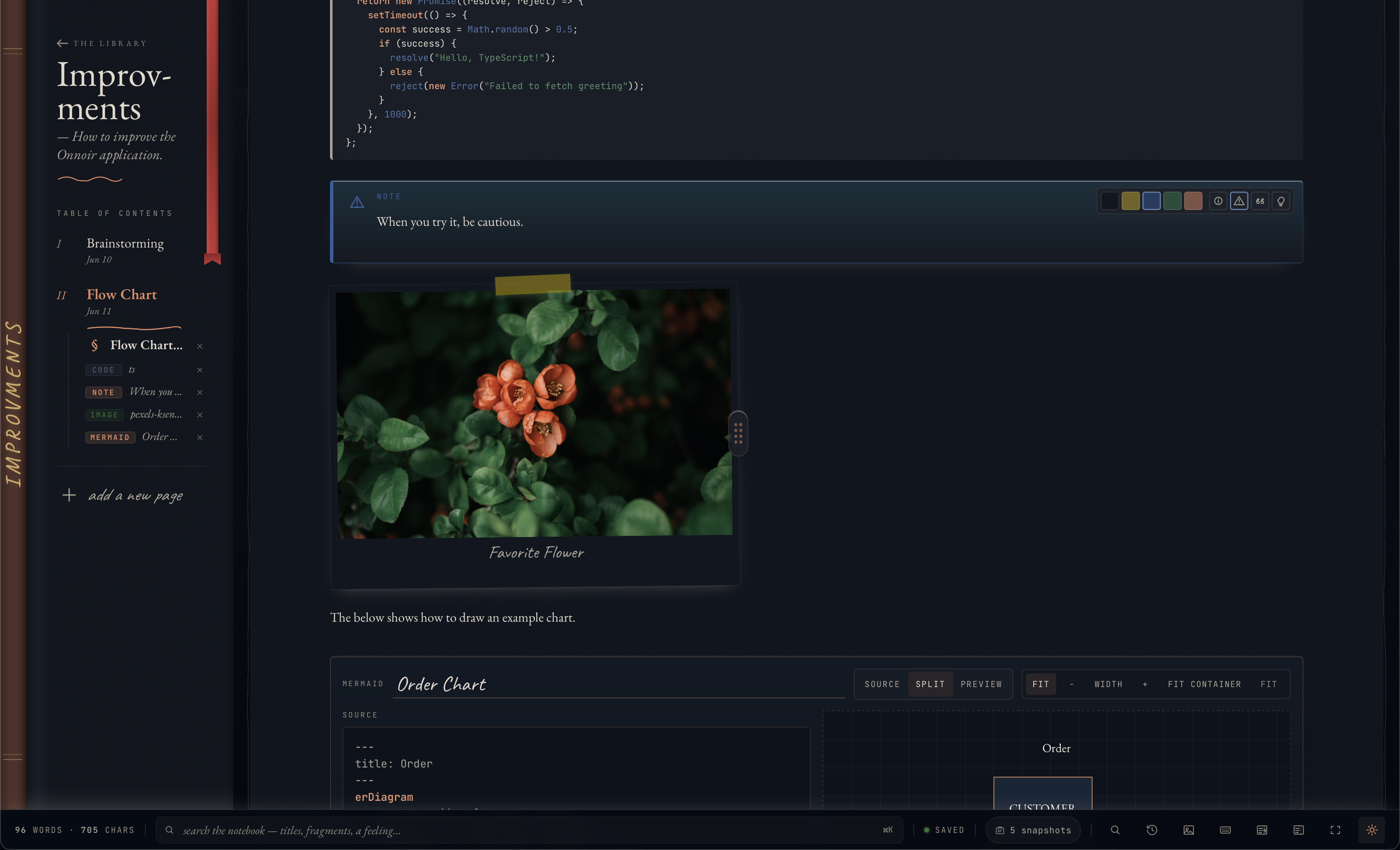
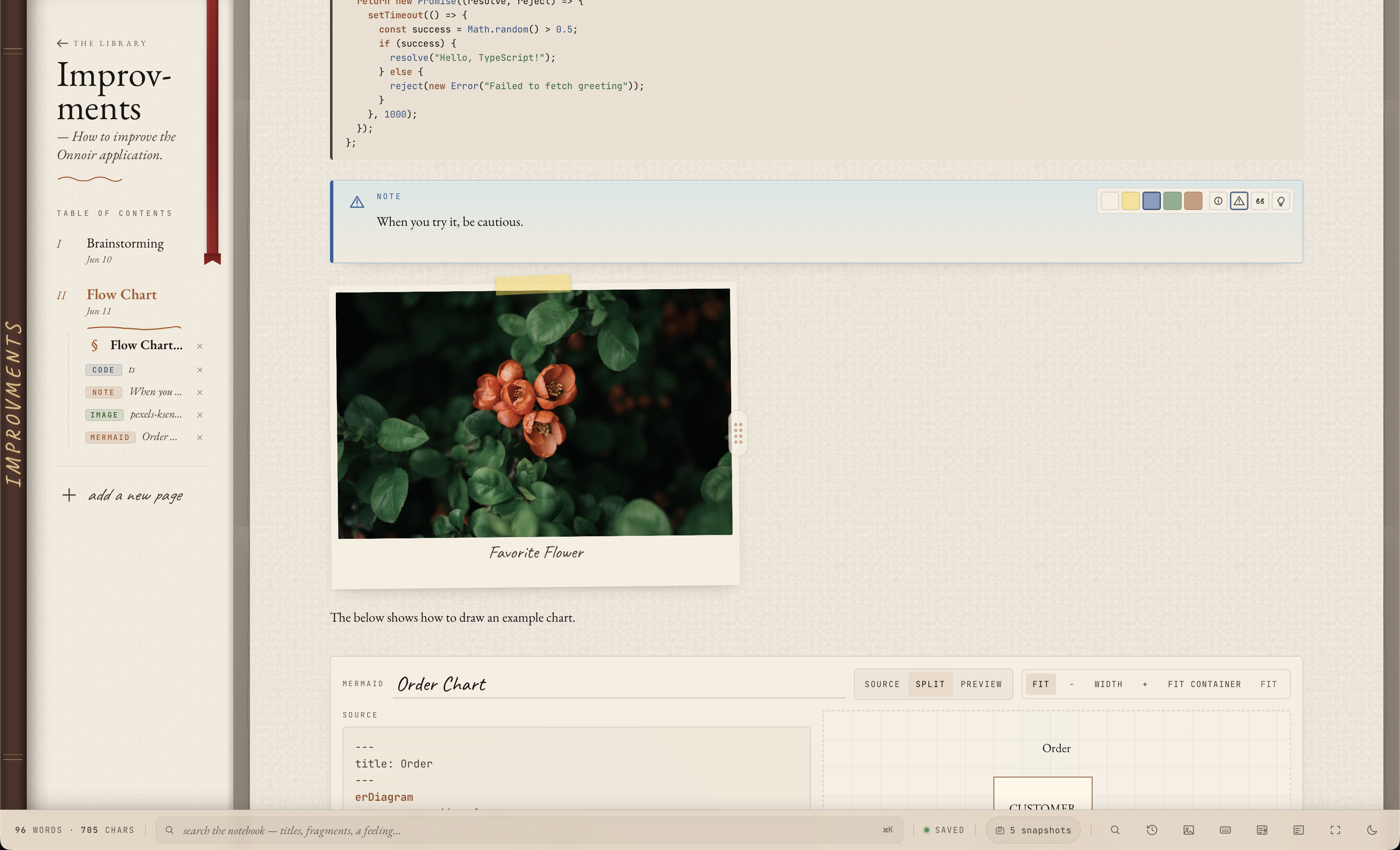
Notion is a broad connected workspace for docs, wikis, projects, databases, and team knowledge. Onnoir is narrower: a local desktop library for private notes, source files, document search, and recoverable research sessions.

Onnoir rich editor for local private notes and research pages Onnoir rich editor for local private notes and research pages

The practical difference

Product shape

Choose based on the kind of workspace you need.

If you need shared team docs, databases, projects, and browser-based collaboration, Notion is built for that category. If you need a desktop-first place for private notes, local source material, search, and recovery, Onnoir is built for that narrower job.

Research files

Onnoir treats source material as part of the notebook.

Cabinet can keep PDFs, DOCX files, text-like documents, images, media, and canvases beside the pages that use them. When document indexing is enabled, Onnoir can search extracted document text from supported files, including OCR-readable PDFs when extraction succeeds.

Privacy model

Onnoir starts from a local encrypted vault.

Onnoir does not require an account and does not host notebook content. That makes it better suited to private drafts and research that should not begin as a cloud workspace.

Limits

Onnoir is not trying to replace team collaboration or databases.

The tradeoff is deliberate. Onnoir does not include team workspaces, shared databases, permission models, automations, or real-time collaborative editing in the current desktop app. Last reviewed: June 2026.

Decision guide

Which one should you use?

Use Onnoir when

You want a local desktop notebook that keeps notes, source files, document text search, export, and backup routines close together.

Use Notion when

You need a connected web workspace for team docs, projects, databases, and collaboration.

Use both when

Private drafts start locally and selected public/team-ready material moves elsewhere later.

Good fit for Onnoir

  • private desktop research
  • PDF and document-heavy source material
  • account-free desktop usage
  • encrypted local backup and Markdown export workflows

Not the focus

  • shared team databases
  • real-time collaborative editing
  • company-wide knowledge base permissions

Questions

Is Onnoir a full Notion replacement?+

No. Onnoir is focused on private local desktop notes and research, not broad team workspace collaboration.

Can Onnoir search source documents?+

Yes, when document indexing is enabled and extraction succeeds. Onnoir can index supported document text from PDFs, DOCX, Markdown, plain text, and OCR-readable PDFs.

Can I use Onnoir before moving polished work into a team tool?+

Yes. Onnoir is a good fit for private drafts, source gathering, and work that should stay local until you choose what to share.

Related

Compare related workflows.

Start with the free local app.

Available for macOS and Windows with no account required. Before updates, create and verify a recoverable backup.